
Samsung’s Galaxy S26 Ultra ships with a video codec that consumes up to 6GB of storage per minute of UHD footage, and the company is betting professional colourists will thank it for the burden. The codec is called Advanced Professional Video (APV, an open-source format standardised through the Internet Engineering Task Force), and it lands alongside a set of four preset colour grades built with Seoul colourist house U5K Imageworks. Together they aim at the one workflow gap that has kept smartphone footage out of paid production for a decade: the round trip from camera to colour bay without quality collapse.
The marketing copy points at TikTok creators and aspiring filmmakers. The accounting case sits elsewhere, with the small-business marketing teams, regional broadcasters, and freelance video journalists whose entire cost structure changes when a phone replaces a rented cinema rig and an outsourced colourist.
What Samsung Actually Shipped in the S26 Ultra
Two features, both targeting the post-production stage rather than the capture stage. That distinction matters because every flagship phone for the last three years has competed on sensor size, computational photography, and frame rates. Samsung is competing on what happens after the record button stops.
The first feature is the APV codec itself, engineered to survive multiple rounds of editing without the generational quality loss that defines consumer formats like H.264 and HEVC. The second is Cine LUT, a set of four preset colour grades (Thriller, Blockbuster, Coming-of-age, and Romance) that can be previewed live in the viewfinder when shooting Log footage and applied directly inside the Gallery app.
Both ride on the same thesis. The bottleneck for mobile video in professional contexts has not been the lens or the sensor since roughly 2022. It has been everything that happens between the SD card and the final export.
The Codec, in Plain Terms
APV supports YUV 4:2:2 chroma subsampling, which is the format broadcast cameras have used for two decades because it retains twice the colour resolution of the 4:2:0 standard consumer phones default to. For a colourist, that doubled colour data is the difference between a gradeable shot and a flat one. Samsung claims APV reduces file sizes by more than 10 per cent against existing professional codecs while delivering what the company calls visually lossless quality.
The storage cost is real and worth naming. A minute of UHD footage at 30 frames per second in APV can consume up to 6GB, which means an hour of capture eats roughly 360GB. A 1TB S26 Ultra holds less than three hours of continuous APV shooting before the user is moving files to external storage or the cloud.
The LUTs, in Plain Terms
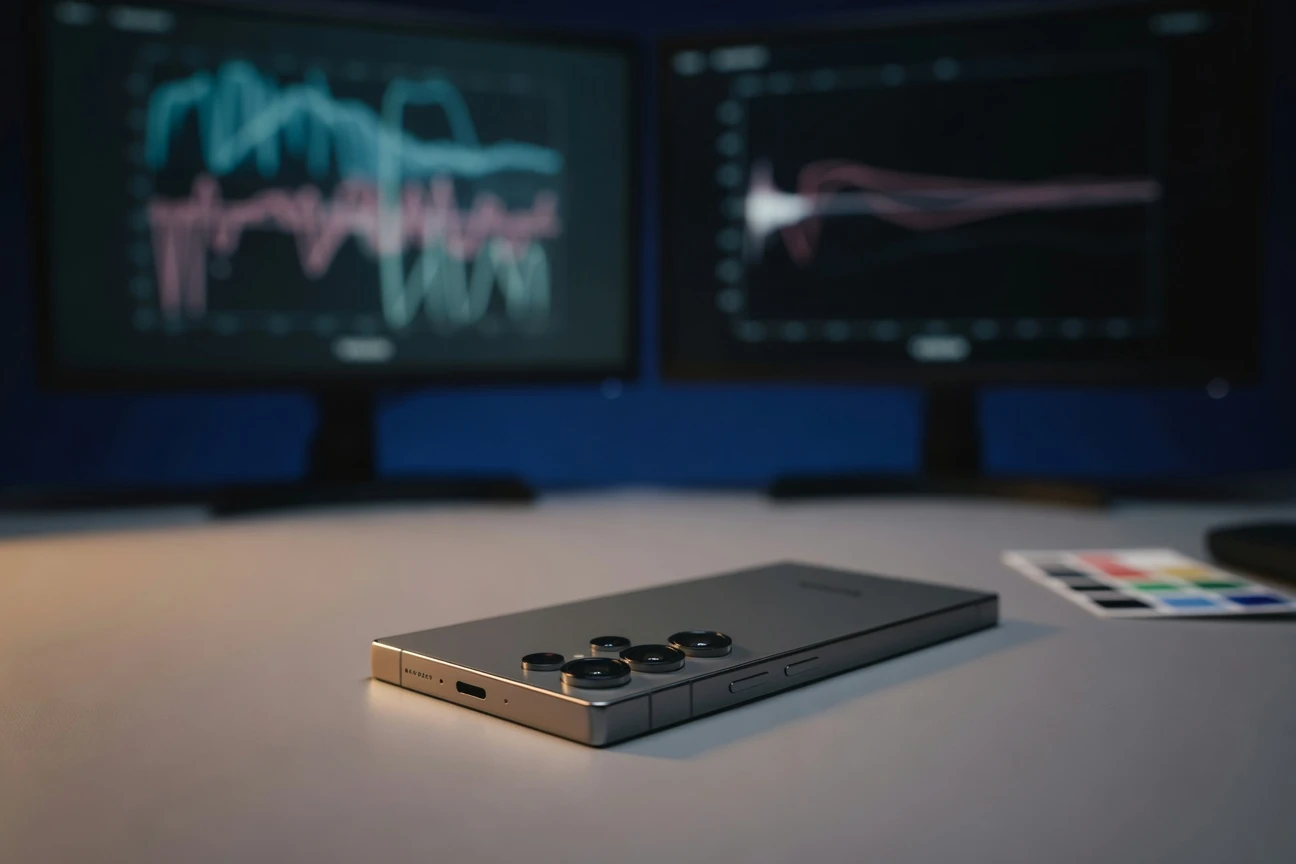
A Look-Up Table is a mathematical recipe that maps one set of colour values to another. Hollywood has used LUTs since the early 2000s to translate flat Log footage into the saturated, contrasty look audiences associate with finished cinema. Samsung’s four presets were calibrated by U5K Imageworks across neutral, soft, and strong intensities, validated using colour charts and vector scopes, the same instruments a broadcast technician uses to sign off a master tape.
Why APV Matters More Than the Marketing Suggests
The codec story is the one most easily missed by reviewers benchmarking the camera against the iPhone. APV is not a Samsung-exclusive feature in the way ProRes was an Apple-exclusive feature when it shipped on the iPhone 13 Pro. Samsung published APV through the IETF working group for the codec’s standardisation, which means any device maker, software vendor, or camera manufacturer can implement APV without licensing fees.
Sunmi Yoo of Samsung’s mobile experience business framed the decision directly:
We chose to develop APV as open source to encourage wider adoption and to build an ecosystem through standardisation.
The strategic read is straightforward. Samsung is the second-largest smartphone vendor by shipments and the dominant supplier of mobile memory, the component whose margins improve the more video data customers store. An open codec that pushes file sizes up while preserving editing quality is, for Samsung’s component business, a tailwind regardless of whether competing phone makers ever adopt it.
For the broader video ecosystem, the calculation is different. Adobe Premiere, DaVinci Resolve, and Final Cut Pro all support a long tail of codecs already. Adding APV is a software update, not an architectural lift. If editors find APV files genuinely easier to grade than HEVC from a Galaxy or H.265 from a competing phone, support will follow. If they do not, APV joins the list of vendor-pushed codecs that exist but no one specifies.
The Comparison Table Reviewers Will Skip
Phone-camera comparisons usually focus on still photography and short-form video. The professional video workflow has a different scoring rubric, and it is where the S26 Ultra’s choices sit in clearer relief.
| Capability | Galaxy S26 Ultra (APV) | iPhone 15 Pro (ProRes) | Standard HEVC phones |
|---|---|---|---|
| Chroma subsampling | YUV 4:2:2 | YUV 4:2:2 | YUV 4:2:0 |
| Codec licensing | Open source via IETF | Apple proprietary | HEVC patent pool |
| UHD storage cost per minute | Up to 6GB | About 6GB | Roughly 400MB |
| In-camera LUT preview | Yes, four presets | No native preset preview | Varies by vendor |
| Editing tolerance | Multi-generation, visually lossless | Multi-generation | Generational quality loss |
| Post-production app requirement | Gallery handles LUTs natively | Third-party editor required | Third-party editor required |
The table reveals the actual differentiator. APV and ProRes are technically close on chroma and file size. The S26 Ultra’s lead is the workflow short-circuit, where colour grading happens inside Gallery without a desktop hop. That is a small change for a hobbyist and a substantial one for a journalist filing from a hotel room.
Who Actually Benefits From This
Strip away the cinematic framing and the user list narrows to a handful of categories whose economics genuinely shift. The hidden stakeholders are not the YouTubers Samsung’s launch reel features.
- Small-business marketing teams producing promotional video without an external editor. The Gallery-level grade replaces a freelance colourist’s day rate, which sits at roughly $400 to $800 in most secondary markets.
- Field journalists at regional broadcasters who need broadcast-ready footage from a press conference within thirty minutes of the event ending. The 4:2:2 chroma matters here because broadcast master control rooms reject 4:2:0 sources for graphics-heavy segments.
- Independent musicians self-producing music videos, where the four preset moods cover most genre conventions without a colourist’s involvement.
- Real-estate and short-form commercial shooters who turn a property walkthrough into a paid deliverable on the same day.
- Documentary B-roll capture on shoots where the main camera is a cinema body but a phone is the only practical option for tight spaces.
None of these users would buy a $4,000 cinema camera. Most would not commission a colour grade either. The S26 Ultra collapses the bottom rung of the professional ladder into a single device, which is exactly where smartphone video has been creeping for a decade.
The Constraints Samsung Did Not Solve
The hardware story is more complicated than the press materials concede. Junseang Min from the MX business division acknowledged the engineering reality bluntly: “To enable real-time processing of UHD and 8K video within the constraints of mobile devices, efforts were focused on thermal management and system-level optimisation.” That is engineer-speak for the phone gets hot, and continuous high-bitrate capture is bounded by what the chassis can dissipate.
Thermal Ceilings
Sustained 8K APV capture on any current smartphone runs into thermal throttling within minutes. Samsung’s collaboration with its own memory division partially addresses the storage write speeds, but the silicon doing the encoding still produces heat that the aluminium-and-glass form factor was not designed to shed at cinema-camera duty cycles. A working professional plans around shot lengths under five minutes, not interview-style continuous capture.
Storage Mathematics
The 6GB-per-minute figure is the constraint that defines the rest of the workflow. A 90-minute shoot produces roughly 540GB of source footage. The S26 Ultra’s top configuration ships with 1TB internal storage, which means professional users are committed to either tethered transfer to a laptop, high-speed cloud upload, or external SSDs connected over the phone’s USB-C port. None of those options are friction-free in the field.
Ecosystem Lock-in Risk
APV’s open-source release is the genuine de-risking move. If the codec remained proprietary, no professional workflow would adopt it because no editor wants to bet a client deliverable on a format one vendor controls. The IETF standardisation gives third-party tool support a credible path. Whether DaVinci Resolve, Premiere, and Final Cut actually ship native APV decode in their next release cycles is the open question, and the answer arrives over the next six to twelve months.
The Industry Context Reviewers Will Miss
Samsung is not making this move in isolation. The professional video toolchain has been quietly absorbing mobile capture for years. Cinematographer Steven Soderbergh shot the feature Unsane on an iPhone 7 Plus in 2018. Sean Baker’s Tangerine, shot on iPhone 5S models in 2015, opened at Sundance to critical attention. Those were edge cases, but they established that the sensor and lens stack on flagship phones cleared the technical floor for feature distribution years ago.
What stopped wider adoption was the same thing the S26 Ultra targets: the post-production pipeline. Professional editors will tell you that grading consumer HEVC files is painful in ways that grading ProRes or RED RAW is not, and that the file format dictates how much creative latitude a colourist actually has. APV is Samsung’s bet that closing that gap unlocks a tier of users who were stuck one step below professional output.
The competitive read for Apple is interesting. ProRes on the iPhone 15 Pro requires an external SSD for 4K capture above 30fps, a constraint that has limited its uptake outside dedicated film projects. If Samsung’s thermal management genuinely allows untethered APV capture at UHD, the practical workflow advantage tilts toward the S26 Ultra for the field-journalism use case specifically.
What U5K Imageworks Brings to the Table
The colourist partnership deserves more scrutiny than launch coverage gave it. U5K Imageworks is a Seoul-based studio whose credits include Korean theatrical features and streaming dramas, the same content category that has driven global subscription growth at Netflix and Disney+ for the last three years. Korean content’s distinctive look, characterised by lifted shadows, restrained saturation, and a specific magenta-cyan complementary palette, has become a recognisable global style.
Bomi Kim of Samsung Research’s Reality Media Lab described the design goal:
While Galaxy devices supported Log video for high-quality capture, colour grading remained challenging for users. We aimed to make professional-looking results accessible without advanced editing skills.
The four LUT presets read as deliberately mainstream choices. Thriller and Blockbuster cover the high-contrast, desaturated action and tentpole aesthetic. Coming-of-age covers the soft-pastel indie look that has dominated streaming drama since around 2020. Romance covers the warm, slightly hazy aesthetic of wedding and lifestyle content. The presets are not adventurous, and that is the point. They are calibrated to make footage look like the streaming content the user already consumes, which is the look most paying clients actually want.
The Test That Decides Everything
The question that determines whether APV and Cine LUT become industry features or remain Samsung curiosities is whether working professionals adopt the tools within their existing paid workflows. Two specific signals will tell the story within twelve months.
- Third-party editor support. If DaVinci Resolve, Adobe Premiere, and Final Cut Pro ship native APV decode in their next major version, the codec has a credible path to becoming a workflow option. If only Samsung’s own software supports it, APV remains a Galaxy feature.
- Regional broadcaster acceptance. If even one mid-tier national broadcaster updates its technical guidelines to accept APV-sourced footage as broadcast-grade, the floodgate opens for field journalism. Korean broadcasters are the obvious first test, given Samsung’s home market and U5K’s industry relationships.
- Camera manufacturer adoption. The longer-shot signal would be a non-Samsung camera implementing APV. Black Magic Design and DJI have historically been the most willing to add new codec support. If either ships APV in a hardware product, Samsung’s standardisation play has succeeded beyond the phone category entirely.
None of those outcomes are guaranteed, and the failure case is not catastrophic for Samsung. APV becomes a checkbox feature alongside ProRes on the spec sheet, the LUTs become a premium filter set most users tap once and forget, and the S26 Ultra sells on the camera-comparison reviews it was always going to sell on. The upside case, where APV actually crosses the professional threshold, is the one worth watching, because it would mean a smartphone vendor reshaped a part of the production stack that has resisted consumer encroachment for forty years.
Frequently Asked Questions
What is the APV codec on the Galaxy S26 Ultra?
APV stands for Advanced Professional Video, a codec developed by Samsung Electronics and standardised through the Internet Engineering Task Force as an open-source format. It supports YUV 4:2:2 chroma subsampling and is designed to preserve image quality across multiple rounds of editing, which conventional consumer codecs like HEVC cannot do without generational quality loss.
How much storage does APV footage actually use?
UHD footage at 30 frames per second in APV consumes up to 6GB per minute, which works out to roughly 360GB per hour of continuous capture. A 1TB Galaxy S26 Ultra holds less than three hours of APV footage before requiring external storage or cloud offload, so professional users typically plan for tethered transfer in the field.
What are the four Cine LUT presets on the S26 Ultra?
The four presets are Thriller, Blockbuster, Coming-of-age, and Romance, each calibrated across neutral, soft, and strong intensity variants. They were developed by Samsung’s Reality Media Lab in collaboration with Seoul-based colourist studio U5K Imageworks and can be previewed in real time when shooting Log footage.
Can I use APV files in DaVinci Resolve or Adobe Premiere?
Not natively at launch. APV was released as an open-source standard through the IETF, which means third-party editors can add support without licensing fees, but Adobe, Blackmagic Design, and Apple have not yet shipped native APV decode in their professional editing suites. The next major version cycle of those products will determine workflow viability.
Is APV better than Apple’s ProRes for mobile video?
The two are technically comparable on chroma subsampling and file size. APV’s advantage is that it is open-source and untethered, where ProRes on the iPhone 15 Pro requires an external SSD for 4K capture above 30fps. ProRes has the advantage of mature third-party editor support that APV will need years to match.
Who should actually consider the S26 Ultra for its video features?
The clearest fit is field journalists at regional broadcasters, small-business marketing teams producing in-house promotional video, real-estate shooters with same-day deliverable requirements, and independent musicians self-producing music videos. Casual users are unlikely to notice the codec differences, and full cinema productions will continue using dedicated cameras.